What Two-Factor Authentication Really Protects
It is not a magic shield, but it closes off one of the most common paths attackers use.
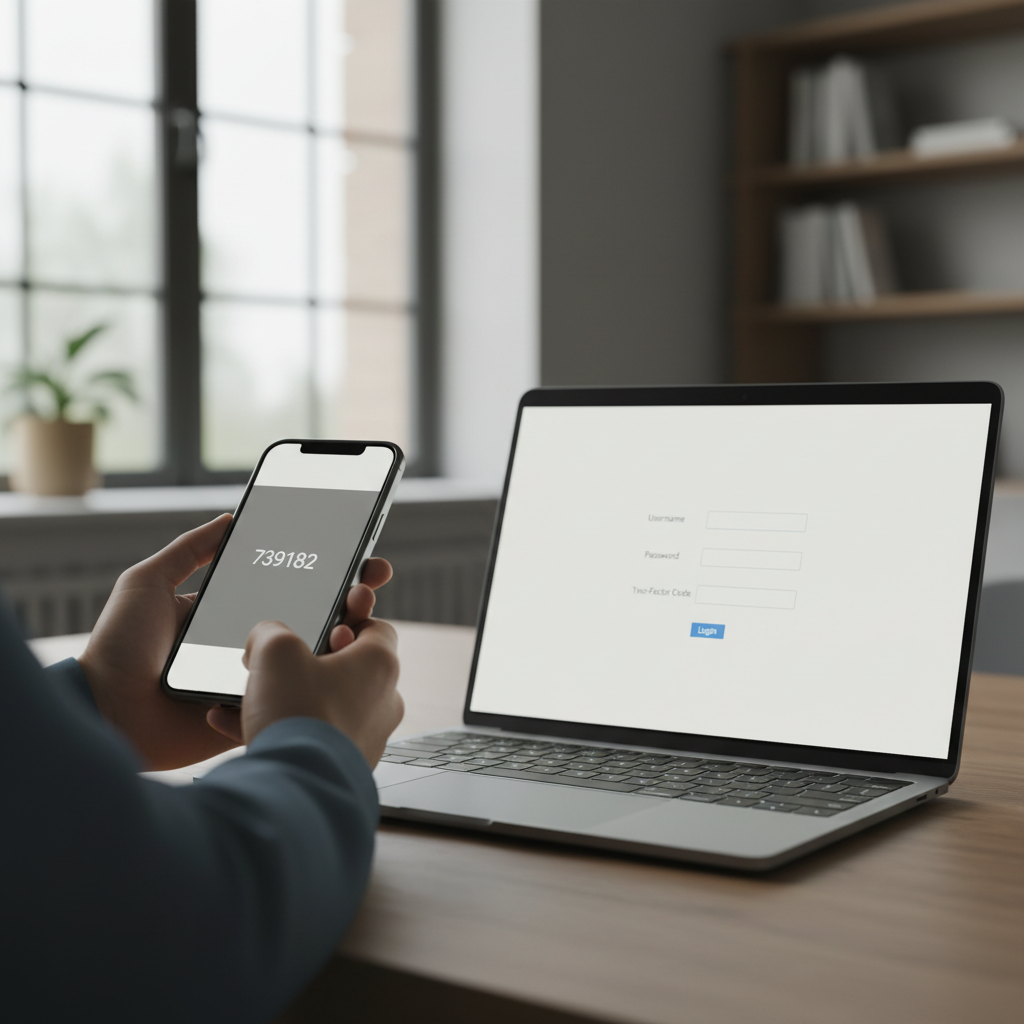
Almost every major online service now nudges its users towards turning on two-factor authentication, usually through a banner or a persistent settings reminder. Most people eventually click through and enable it, often without a clear sense of what it actually does beyond a general feeling that it is a good idea. Understanding what it genuinely protects against, and what it does not, makes it far easier to use sensibly rather than as a box-ticking exercise.
The basic idea behind the second factor
A password is a single factor: something you know. Two-factor authentication adds a second, independent factor, typically something you have, such as a phone that receives a code, or something you are, such as a fingerprint. The principle is that even if an attacker learns your password, they still lack the second factor and cannot complete the login on their own.
Why passwords alone are not enough
Passwords leak far more often than most people assume, through data breaches at companies you have accounts with, through phishing pages designed to look like genuine login screens, and through password reuse across multiple services. A password stolen from one breached website is frequently tried automatically against dozens of other services, a practice known as credential stuffing. Two-factor authentication is specifically designed to stop this particular attack from succeeding.
What it actually stops
The clearest benefit of two-factor authentication is against attacks where someone has obtained your password but nothing else. This covers a large share of real-world account takeovers, since passwords are leaked constantly and reused habitually. If your password for one site appears in a breach and an attacker tries it elsewhere, two-factor authentication on that other account will typically block the attempt outright, because the attacker cannot produce the second factor.
What it does not fully stop
- Sophisticated real-time phishing attacks that capture and immediately relay your second factor code to the real site
- Malware already running on your device that can intercept session data after you have logged in successfully
- Social engineering attacks that trick you into approving a login prompt yourself, believing it to be legitimate
- Physical theft of an unlocked device that already has active, logged-in sessions
Comparing the common methods
Not all forms of two-factor authentication offer the same level of protection, and it is worth understanding the differences when a service offers a choice.
| Method | Relative strength | Main weakness |
|---|---|---|
| SMS text message codes | Better than nothing | Vulnerable to SIM-swap attacks and interception |
| Authenticator app codes | Solid, widely recommended | Lost if the device is lost without a backup |
| Push notification approval | Convenient and fairly strong | Vulnerable to users approving prompts without thinking |
| Hardware security keys | Strongest widely available option | Requires purchasing and carrying a physical key |
Why SMS is the weakest common option
SMS-based codes rely on the mobile network, and mobile networks can be manipulated through a technique called SIM swapping, where an attacker convinces a mobile carrier to transfer your phone number to a device they control, often through social engineering rather than any technical hack. Once they control the number, they can receive your SMS codes directly. It remains far better than no second factor at all, but where an authenticator app or hardware key is offered as an alternative, it is generally the stronger choice.
The particular danger of prompt fatigue
Push notification approval is convenient, showing a simple accept or deny prompt on your phone rather than requiring you to type a code. Its weakness is human rather than technical: attackers who have a stolen password sometimes send repeated login prompts late at night, hoping the account holder will eventually tap approve out of confusion or irritation just to make the notifications stop. Being aware of this tactic, and always denying and investigating any unexpected prompt, closes this gap considerably.
Backup codes and recovery planning
Most services that offer two-factor authentication also provide one-time backup codes, generated when you first set it up, intended for situations where you lose access to your primary second factor device. These are worth storing somewhere safe and separate from the device itself, since without them a lost phone can turn into a genuinely difficult account recovery process, sometimes taking days with a support team.
Choosing where to prioritise it
Enabling two-factor authentication everywhere is ideal in principle, but if you are starting gradually, it makes sense to prioritise accounts that would cause the most damage if compromised.
A sensible priority order
- Primary email account, since it is often used to reset passwords for everything else
- Financial accounts including banking and payment services
- Cloud storage accounts containing personal documents or photos
- Social media accounts, particularly if they are linked to other logins
- Shopping accounts with saved payment details
A realistic view of the trade-off
Two-factor authentication does add a small amount of friction to logging in, and it is fair to weigh that inconvenience honestly rather than pretending it does not exist. In practice, most people find the friction becomes negligible within a week or two, particularly with an authenticator app that remembers trusted devices for a period of time, reducing how often the second factor is even requested.
Setting realistic expectations
Two-factor authentication is not a complete solution to account security, and treating it as one can lead to complacency about other basics, such as using distinct passwords for different services and being alert to phishing attempts. It is best understood as one strong, genuinely effective layer among several, closing off one of the most common and consequential attack paths without claiming to close off all of them. Used alongside sensible password habits, it meaningfully reduces the odds that a single leaked password turns into a full account takeover. For related guidance, see our broader coverage of everyday digital security.
About the author
Idris Oyelaran covers consumer technology, privacy and applied science. He is happiest explaining a complicated system in ordinary language, and he tests every recommendation on his own devices before it appears in a story.