E-Readers and the Question of Eye Strain
Different screen technologies behave very differently when it comes to comfortable reading.
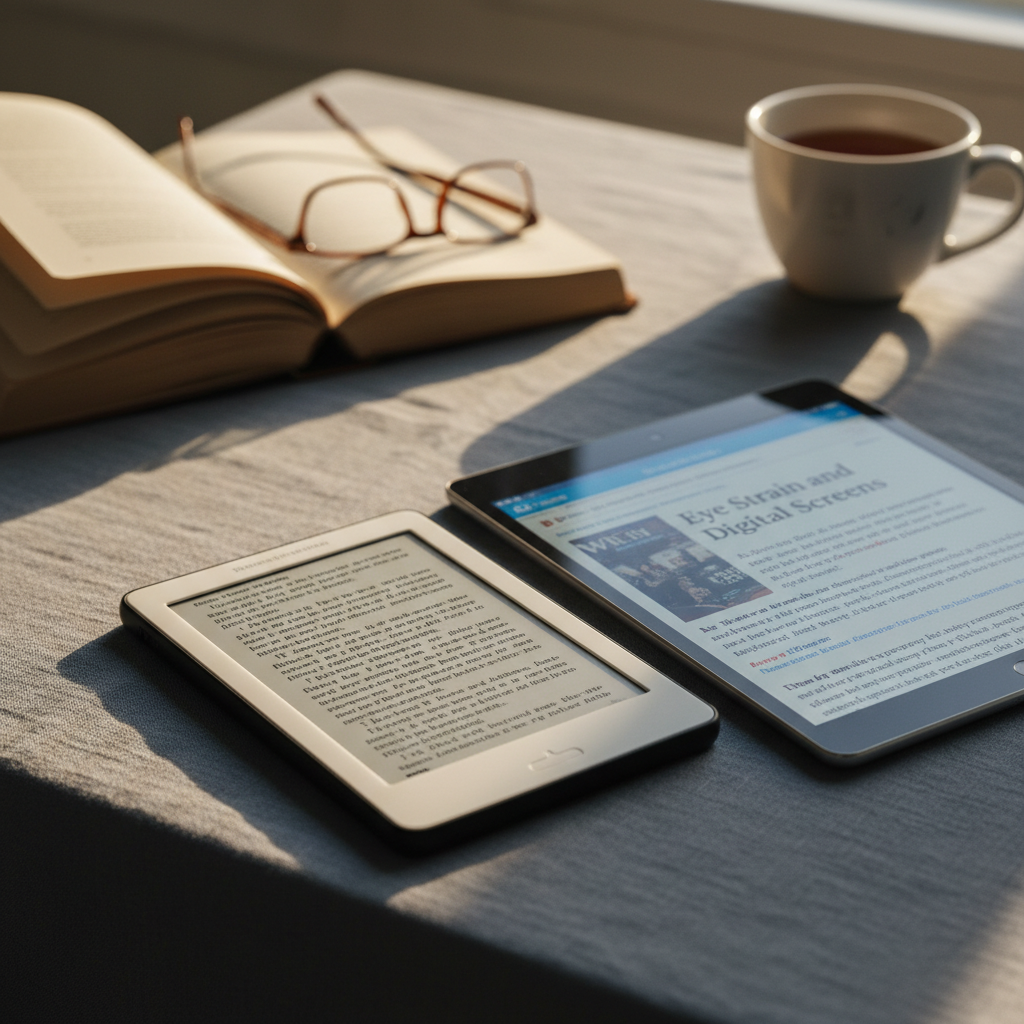
Ask a room of committed readers whether they prefer a dedicated e-reader or reading on a tablet or phone, and you will likely get strong opinions on both sides, often centred on comfort during long reading sessions. The disagreement is not really about taste; it reflects genuine differences in how the underlying screen technologies work, and understanding those differences makes it much easier to choose sensibly.
Two fundamentally different technologies
Dedicated e-readers almost universally use a technology called electronic ink, often shortened to e-ink, while tablets, phones and computers use backlit or self-illuminating displays such as LCD or OLED. These are not simply different qualities of the same basic idea; they work on entirely different physical principles.
How e-ink displays work
E-ink screens contain millions of tiny capsules filled with charged particles that move to the top or bottom of the capsule when an electric field is applied, forming visible dark or light patterns without any backlight shining through them. Light reaching your eyes from an e-ink screen is reflected ambient light, the same way light reflects off a printed page, rather than light generated by the screen itself.
How backlit screens work
LCD and OLED screens, by contrast, actively emit light towards your eyes to form the image, whether through a backlight shining through liquid crystals or through individually illuminated pixels in OLED panels. This is a fundamentally more intense form of light exposure over a sustained reading session, since your eyes are receiving direct light rather than reflected light.
Why this distinction affects comfort
Reflected light, as with a printed page, tends to be gentler on the eyes over long periods because it does not require your eyes to process a constant stream of directly emitted light. Many people who read for hours at a time report noticeably less eye fatigue on e-ink devices compared with backlit screens, particularly during evening or extended sessions, though individual sensitivity varies and some people notice little difference at all.
The role of flicker and refresh rates
E-ink screens refresh slowly and do not flicker in the way some backlit displays can, particularly at lower brightness settings where certain backlighting methods pulse rapidly to control dimming. This flicker is generally imperceptible consciously but can contribute to fatigue for some people over long sessions, another factor that may explain why e-ink feels different to read for extended periods.
The trade-offs e-ink brings
E-ink is not simply a superior technology in every respect; it comes with real limitations that make it unsuitable for many other tasks, which is exactly why it remains confined mostly to dedicated reading devices.
Where e-ink falls short
- Slow refresh rates make it unsuitable for video, animation or fast-scrolling content
- Colour e-ink exists but currently offers noticeably less vibrant colour than backlit screens
- Page turns show a brief visible refresh on many devices, a minor but real interruption
- Without a front light, e-ink is unreadable in the dark, though most modern e-readers now include one
Front lights versus backlights
Most modern e-readers include a front light, which is a subtle but important distinction from a true backlight. A front light shines down onto the surface of the e-ink screen from the edges, illuminating it much as a reading lamp would illuminate a printed page, rather than shining directly through the display towards your eyes. This preserves much of the comfort benefit of e-ink even in low-light conditions, unlike a true backlight which reintroduces direct light exposure.
A side-by-side comparison
| Feature | E-ink reader | Backlit tablet or phone |
|---|---|---|
| Light source | Reflected ambient light, or front light | Direct backlight or self-emitting pixels |
| Battery life for reading | Days to weeks | Hours to a day or two |
| Suitability for video or colour-rich content | Poor | Excellent |
| Readability in bright sunlight | Excellent | Often poor without high brightness |
| Weight and single-purpose design | Light, distraction-free | Heavier, multi-purpose with notifications |
The distraction factor, beyond the screen itself
Part of the reported comfort of e-readers may have little to do with the screen technology at all and more to do with what the device is designed to do. A dedicated e-reader typically cannot run email, social media or messaging apps, removing a significant source of interruption and the compulsive urge to check notifications mid-chapter. Reading on a general-purpose tablet or phone, however comfortable the screen itself, carries this additional cognitive load simply by being the same device used for everything else.
Battery life as a secondary comfort factor
E-ink only draws meaningful power when the image on screen actually changes, since the particles hold their position without continuous electricity once set. This allows dedicated e-readers to last weeks on a single charge under typical reading habits, compared with a day or two for a backlit tablet used for reading. This has an indirect but real comfort benefit, removing anxiety about battery levels during long trips or holidays.
Practical guidance for choosing
If reading is a substantial, regular habit and comfort during long sessions is the priority, a dedicated e-ink reader is generally the better choice, particularly for anyone who has noticed eye fatigue on backlit screens in the past. If you want a single device for reading, browsing, video and other tasks, a tablet is more versatile, and adjusting its display settings can reduce some of the discomfort, even if it cannot fully replicate the reflected-light comfort of e-ink.
Settings worth adjusting on backlit devices
- Enable any built-in reading or paper-like display mode, which adjusts contrast and colour temperature
- Reduce brightness to match ambient room lighting rather than maximum brightness by default
- Enable warmer colour temperature settings in the evening, which some research suggests may ease sleep disruption from screen use before bed
- Increase text size and line spacing, which reduces the need for eyes to work harder resolving small text over long sessions
Neither technology is objectively correct for everyone, and personal sensitivity varies considerably. Understanding how each screen actually produces the image you see makes the choice a matter of informed preference rather than guesswork. For further reading on device choices that suit specific habits, browse our wider technology coverage.
About the author
Mara Devlin edits the publication and writes about the internet's infrastructure and incentives. She spent a decade as a technology reporter and editor before founding this masthead, and still does most of her reporting by reading documentation nobody else wants to read.