Understanding Phone Battery Health in Plain Terms
What that percentage in your settings menu actually measures, and what it does not.
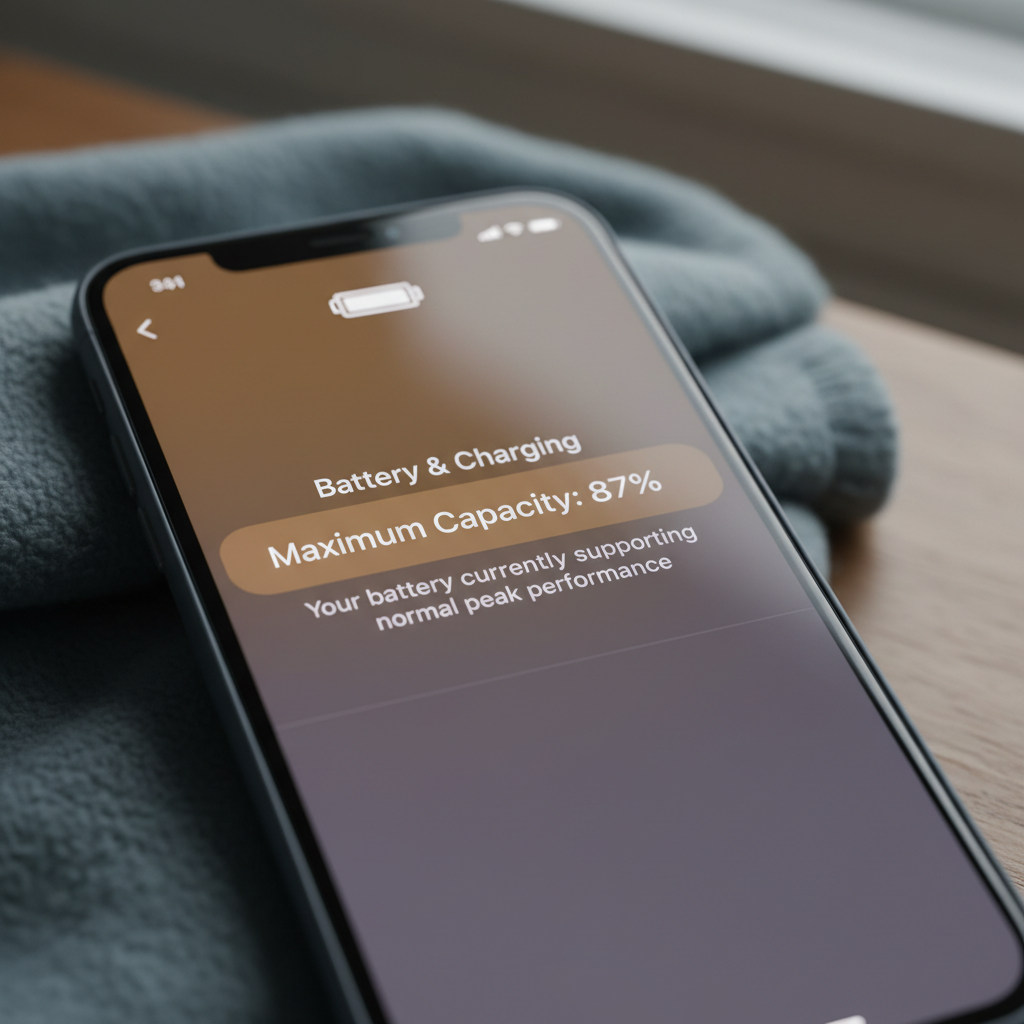
Somewhere in your phone's settings menu sits a number labelled battery health, usually expressed as a percentage. Many people glance at it, feel a flash of concern if it has dropped below 90, and then carry on without really understanding what the figure represents. That number is genuinely useful, but only if you understand what it is measuring and, just as importantly, what it is not.
What the percentage actually measures
Battery health typically compares your battery's current maximum capacity to its capacity when new. A reading of 85 percent means the battery can now hold roughly 85 percent of the charge it could hold on day one. It does not mean the battery is about to fail, and it does not directly measure how quickly the phone will discharge during a single day of use, since that also depends heavily on screen brightness, background app activity and network conditions.
Why capacity naturally declines
Lithium-ion batteries, the type used in essentially all modern smartphones, degrade through normal chemical ageing every time they are charged and discharged. Each full cycle causes tiny, permanent changes inside the cell that very slightly reduce its maximum capacity. This is not a manufacturing flaw; it is an inherent property of the chemistry, and every lithium-ion battery in every device experiences it to some degree.
The factors that speed up degradation
While some capacity loss is unavoidable, the rate at which it happens is strongly influenced by how the battery is treated. Heat is the single biggest accelerant of battery ageing, more so than the number of charge cycles themselves. A phone left in direct sunlight on a car dashboard or used heavily while charging, which generates additional heat, will typically degrade faster than one kept at moderate temperatures.
Charging habits that matter
- Keeping a phone constantly at 100 percent charge for long periods stresses the battery more than cycling through a moderate range
- Letting the battery repeatedly drain to zero percent also adds stress, particularly on older battery chemistries
- Fast charging generates more heat than slow charging, and using it constantly rather than occasionally can contribute to faster wear
- Charging overnight every night is generally fine on modern phones, since most now include software that manages the final charging stage to reduce stress
What a declining percentage actually feels like
In practical terms, a battery health reading in the 90s will feel almost identical to a new battery for most users. Once it drops into the 80s, you might notice the phone needs topping up slightly earlier in the day than it used to. Below roughly 80 percent, some phones will also reduce peak performance briefly during demanding tasks to protect the ageing battery from sudden voltage drops, a feature that has caused confusion in the past when it was not clearly communicated to users.
When performance throttling kicks in
The performance management features that some manufacturers introduced were designed to prevent unexpected shutdowns on ageing batteries, not to deliberately slow phones down to encourage upgrades, despite public suspicion to the contrary at the time. These features are usually visible in settings and can often be reviewed, though disabling them can bring back the risk of sudden shutdowns under heavy load.
Comparing typical battery expectations
| Age of phone | Typical health reading | Practical impact |
|---|---|---|
| Under 1 year | 95 to 100 percent | No noticeable change from new |
| 2 to 3 years, moderate use | 85 to 92 percent | Slightly earlier top-ups, otherwise normal |
| 3 to 5 years, heavy use | 75 to 85 percent | Noticeably shorter days, possible throttling under load |
These figures vary considerably between individuals, since usage patterns, climate and charging habits all play a role, but they give a rough sense of what is typical rather than alarming.
When it is worth replacing the battery
There is no single threshold that applies to everyone, but many people start considering a battery replacement once health drops below roughly 80 percent and daily use starts to feel meaningfully constrained. A replacement is often significantly cheaper than a new phone and can restore a device to something close to its original day-to-day usability, provided the rest of the hardware and software are still adequate for your needs.
Questions worth asking before replacing
- Is the rest of the phone, including its software support, still going to be usable for a couple more years?
- Does the manufacturer or an independent repairer offer a battery replacement at a reasonable price?
- Will the replacement use a genuine or high-quality equivalent cell, since low-quality replacements can degrade faster than the original?
Simple habits that genuinely help
You do not need to obsess over battery percentage to get reasonable longevity from a phone. Avoiding extreme heat, not leaving the phone charging at full for days on end, and using manufacturer-provided optimisation features where available will collectively make a real difference over a couple of years, even if no single habit transforms the outcome on its own.
What not to worry about
You do not need to avoid using your phone while it charges, despite persistent folk wisdom to the contrary; modern charging circuits are designed to handle this safely. You also do not need to fully discharge a new phone before its first charge, a practice left over from older battery chemistries that no longer applies to current lithium-ion cells.
Reading the number without overreacting to it
Battery health is a useful diagnostic, not a countdown timer. A phone sitting at 82 percent health is not on the verge of failure; it is simply a battery that has done a few years of honest work and now holds slightly less charge than it once did. Understanding what the figure represents, and what actually drives it down, makes it much easier to make sensible decisions about charging habits and eventual repairs, rather than reacting to a number without context. For related reading on getting more out of the devices you already own, see our coverage under technology maintenance.
About the author
Mara Devlin edits the publication and writes about the internet's infrastructure and incentives. She spent a decade as a technology reporter and editor before founding this masthead, and still does most of her reporting by reading documentation nobody else wants to read.