Choosing a Laptop That Actually Lasts
Why the specs on the box tell you less than the build quality underneath.

Walk into any electronics shop and the laptops on the shelf will compete on the same handful of numbers: processor speed, RAM, storage size, screen resolution. These figures matter, but they rarely determine how long a machine actually survives daily use. The parts that fail first are usually mechanical: hinges that loosen, keyboards that develop dead keys, batteries that swell, charging ports that wear out. A laptop with a mediocre processor and a sturdy chassis will often outlast a faster machine built from thinner, cheaper materials.
Why longevity is different from performance
Performance degrades gradually and predictably. A three-year-old laptop will feel slower than a new one, but it will still open a browser and word processor without complaint for years. Physical failure is different: it is sudden, often irreparable without specialist tools, and it tends to strike exactly when you need the machine most. Buying for longevity means paying attention to the things that break, not just the things that get outdated.
The parts that wear out first
- Hinges, especially on convertible or touchscreen laptops that flex more than standard clamshells
- Keyboards, particularly shallow-travel designs where debris under the keys causes sticking
- Batteries, which lose capacity through repeated full charge-discharge cycles
- Charging ports, especially the barrel-style connectors still used on some cheaper models
- Cooling fans, which accumulate dust and eventually become noisy or ineffective
Build quality signals worth checking in person
You cannot fully judge build quality from a spec sheet, so if you can visit a shop before buying, it is worth doing a physical inspection. Open and close the lid several times and feel whether the hinge resists smoothly or feels loose. Press gently on the centre of the keyboard deck; excessive flex suggests a thin chassis that will feel less solid after a year of use in a bag. Check whether the charging port feels wobbly when you insert the cable.
Materials and their trade-offs
Aluminium unibody designs tend to resist flex better than plastic, though they can dent rather than flex under serious impact. Magnesium alloy sits somewhere in between, offering good rigidity at lower weight than aluminium. Plastic chassis are not automatically bad; some manufacturers reinforce them with internal metal frames that provide similar rigidity at a lower price. The lesson is that material alone is not the whole story, and it is worth reading detailed reviews that specifically discuss chassis flex rather than assuming metal always beats plastic.
Repairability matters more than most buyers realise
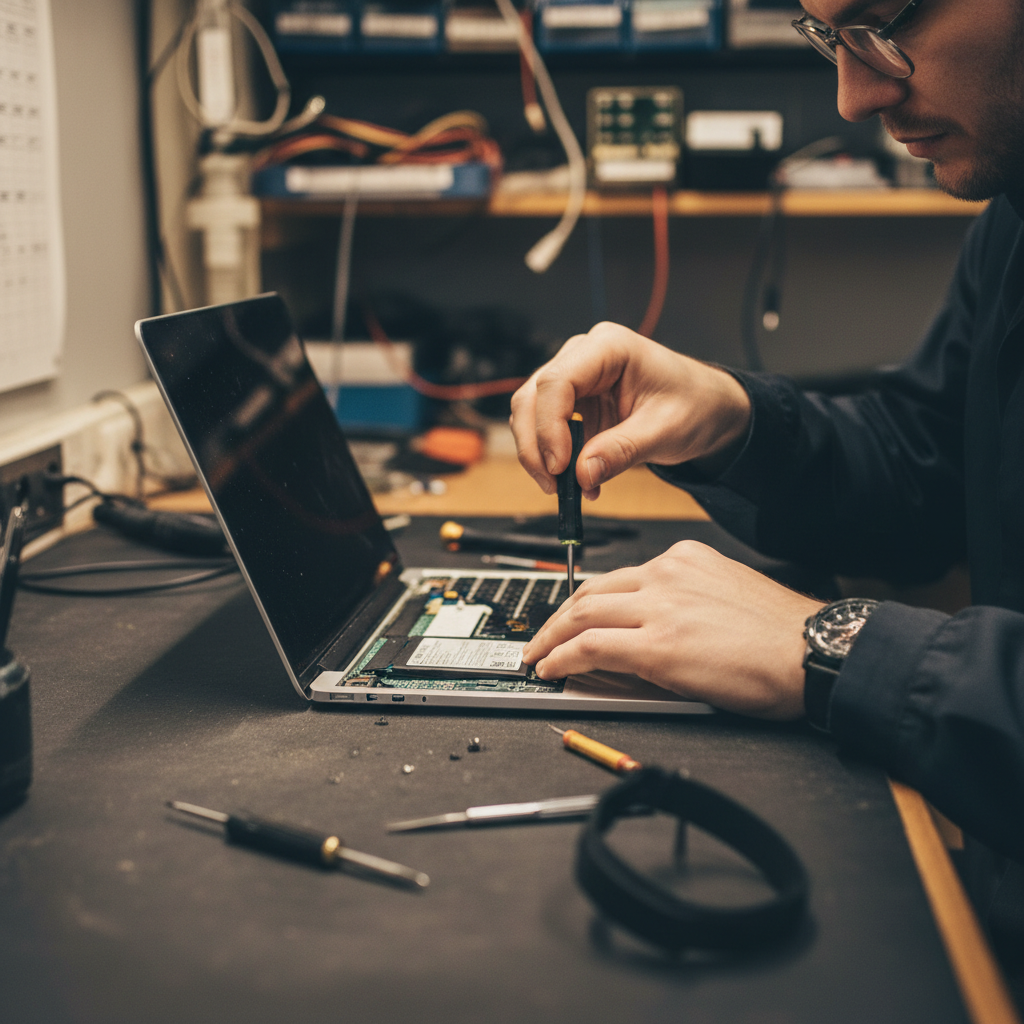
A laptop that lasts is often one that can be repaired rather than replaced when something does go wrong. Some manufacturers design machines with soldered memory and storage, glued-in batteries and proprietary screws that make even simple repairs difficult without specialist tools. Others use standard screws, socketed memory and batteries that can be swapped by an independent repair shop. Before buying, it is worth searching for teardown guides or repairability scores for the specific model, since these vary enormously even within the same manufacturer's range.
Battery replacement as a longevity test
A simple question to ask before buying: can the battery be replaced without disassembling half the machine? A battery that has degraded to 60 percent of its original capacity after three years of daily use is common, and a laptop that becomes a doorstop the moment its battery dies has effectively been given a shorter lifespan by design, regardless of how good the rest of the hardware is.
Matching specifications to how you actually work
Buying more performance than you need does not make a laptop last longer, but buying too little can shorten its useful life dramatically, because you will feel the pinch sooner and be tempted to upgrade. The trick is matching the specification to your actual workload rather than to marketing tiers.
| Use case | RAM to consider | Storage to consider |
|---|---|---|
| Browsing, documents, video calls | 8 to 16GB | 256 to 512GB SSD |
| Photo editing, light video work | 16 to 32GB | 512GB to 1TB SSD |
| Software development, virtual machines | 32GB or more | 1TB SSD, ideally expandable |
Buying slightly above your current needs gives useful headroom as software becomes more demanding over the years you own the machine, without paying for capability you will never use.
Software support windows
A laptop is only as useful as the software it can run securely. Operating system manufacturers publish support windows for hardware generations, after which security updates stop arriving. Before buying, it is worth checking how long the specific chip generation is expected to receive updates, since a bargain laptop built around an older chipset may reach the end of its supported life sooner than a slightly pricier model with newer internals.
Warranty and extended coverage
Standard warranties typically cover manufacturing defects for a year or two, but accidental damage protection is usually a separate, optional purchase. If you are prone to spills or drops, or if the laptop will travel frequently, it is worth weighing the cost of extended accidental cover against the likely repair cost of the specific model, which varies a great deal depending on how accessible the internals are.
Caring for a laptop you want to keep
Even the best-built laptop benefits from sensible daily habits. Avoid leaving it plugged in at 100 percent charge for extended periods where possible, since modern battery chemistry degrades faster when kept constantly topped up rather than cycled through a more moderate range. Keep vents clear of dust by occasionally using compressed air, and avoid using the laptop on soft surfaces like beds or sofas that block airflow and cause the fan to work harder than necessary, generating extra heat that shortens component life over time.
A simple pre-purchase checklist
- Check independent reviews specifically for chassis flex and hinge durability
- Look up the repairability score or teardown guide for the exact model
- Confirm whether the battery can be replaced by a third party
- Match RAM and storage to your real workload, with modest headroom
- Check the expected software support window for the chip generation
None of this guarantees a laptop will survive five years untouched, but it shifts the odds meaningfully in your favour. For more on keeping hardware running well for longer, see our guide to practical technology maintenance.
What to do when it starts to fail anyway
Eventually, most laptops will develop some fault. The decision then is whether to repair or replace, and that decision is genuinely easier when you bought with repairability in mind at the outset. A machine with a socketed battery and standard screws might cost a modest sum to bring back to full health, while a sealed unit with the same fault might cost more to repair than to replace outright. Buying for longevity, in other words, is not just about delaying the first fault. It is about making sure that when a fault does arrive, you still have a reasonable, affordable path back to a working machine.
About the author
Idris Oyelaran covers consumer technology, privacy and applied science. He is happiest explaining a complicated system in ordinary language, and he tests every recommendation on his own devices before it appears in a story.